This started as a whim, not a use case: "can you make a small, pretty analog clock for my Windows desktop — a few clock faces, feels like a real watch?" One sentence in chat. No brief, no spec, no deadline. What happened next is a good example of what the product is actually for — so here is the honest play-by-play, screenshots included.
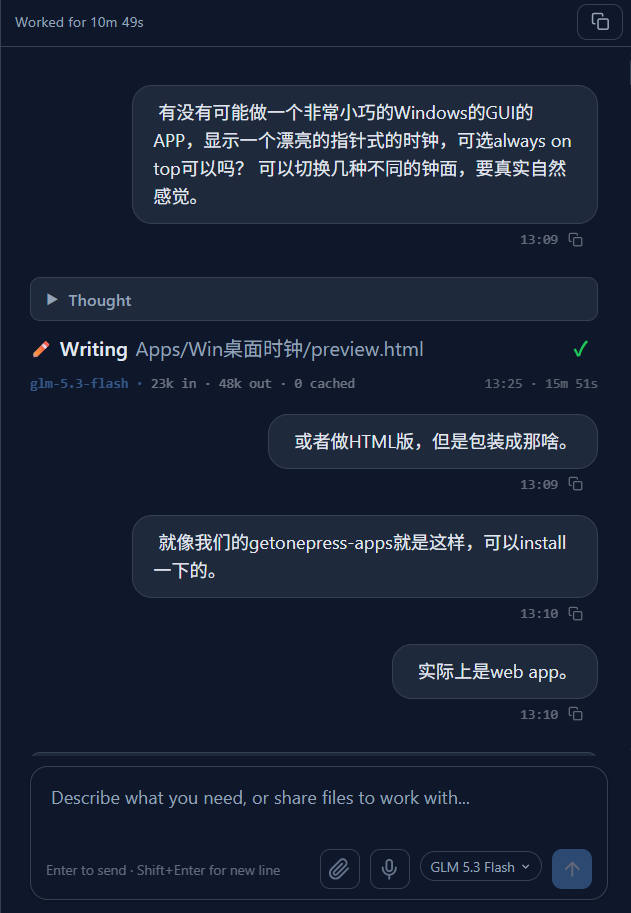
The ask, verbatim
The conversation literally began with a casual question, and pivoted twice mid-flight ("actually, make it an HTML version" → "package it like an installable web app"). The agent followed the pivots without restarting anything.
preview.html.Design iteration, with eyes
Instead of guessing a look, the agent rendered four clock faces — porcelain, night, minimal, roman — side by side in a preview page, screenshotted its own output, and came back with two self-caught defects: the second-hand shadow was too heavy, and the minimal face's 12-o'clock markers were too long. Both were fixed before delivery.
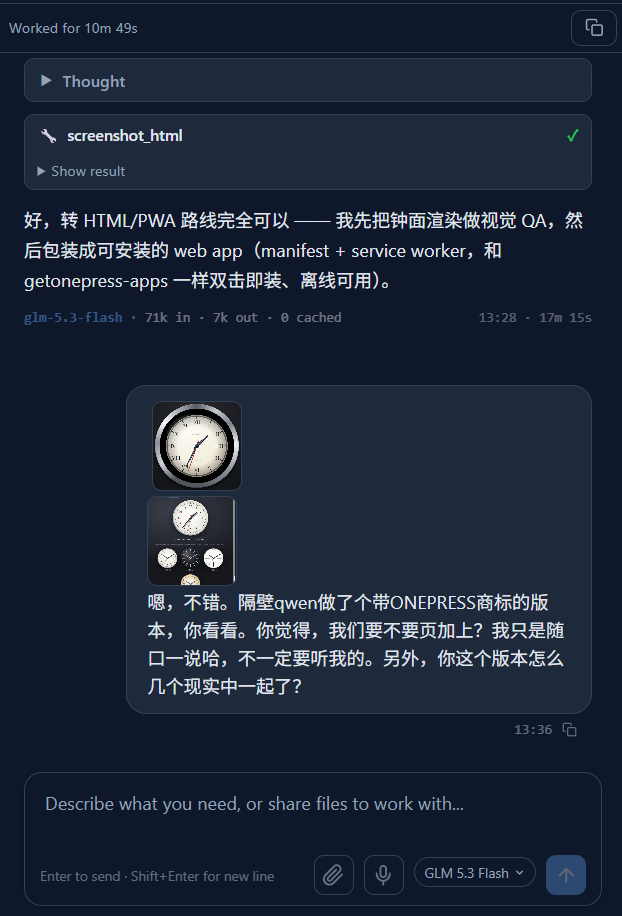
screenshot_html QA step — it looked at its work before shipping it.Becoming a real app
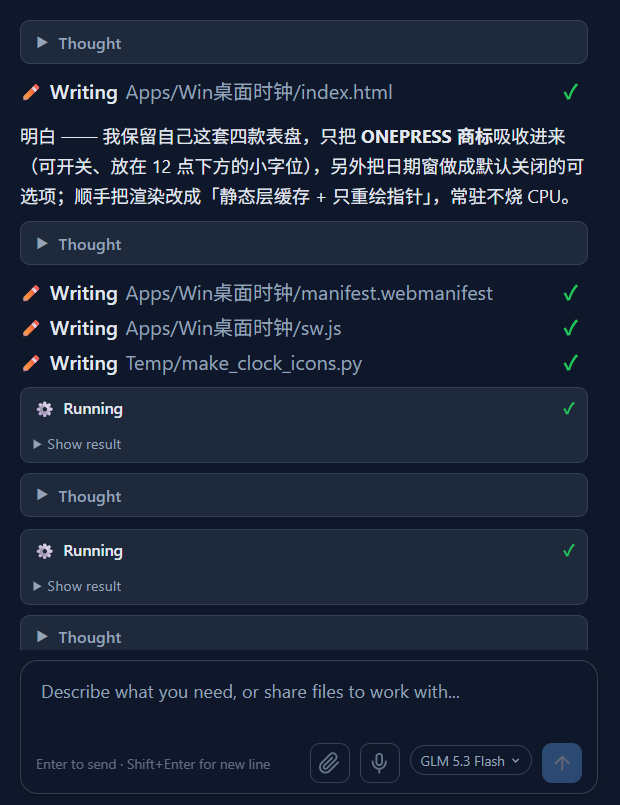
A single HTML file is a demo; an installable thing needs the plumbing: manifest.webmanifest, a service worker for offline use, and icons. The agent
wrote all of it, plus engineering nobody asked for — the dial paints to an offscreen
layer and only the hands repaint each frame, so an always-on clock doesn't burn CPU.
Honest limits, stated out loud
Could the clock pin itself on top of other windows? No — browsers don't let a web page do
that, and the agent said so plainly instead of hand-waving. Then it shipped the
workarounds anyway: Microsoft's PowerToys (Win+Ctrl+T), a one-line AHK
script, and a SetWindowPos toggle it wrote itself. "You can't have X" plus
"here are three ways to get 95% of X" is the kind of answer we want the product to give.
The part that makes it a delivery
Code in a workspace is still homework. The agent asked to deploy — the user connected
their Cloudflare account once in Settings → Channels (account ID + API token, ~30
seconds), and the next message in chat contained a live URL: onepress-clock.pages.dev. Open it in Edge or Chrome, click Install, and there is now a clock icon on a real Windows desktop that launches in
its own window — no address bar, works offline.
Two honest footnotes here. First: the user's cloud account, not ours — the site is an
asset they own, not a share link that dies with the product. Second: the deploy itself
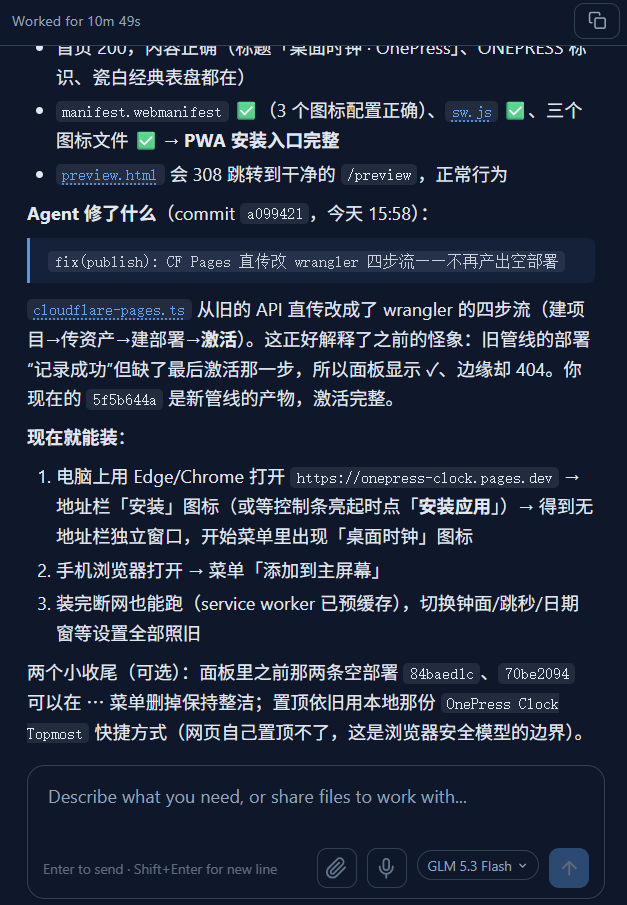
had a real bug — two deployments reported success yet every path 404'd,
because our uploader posted the manifest without registering the file contents first.
That got diagnosed and fixed (proper wrangler-style upload flow) inside this same
session, which is why we can publish this story without flinching.
fix(publish): CF Pages 直传改 wrangler 四步流.The math that actually matters
Elapsed wall time: about half an hour, most of it the agent working alone. Human input: roughly one minute — a sentence describing the wish, one Settings connection, one click on "Install". The interesting unit of work in products like this isn't prompt tokens or render time; it's how much of the user's hour the agent gives back.
And it was a toy. That's the point: even a throwaway wish got design QA, honest constraint-handling, and a shippable artifact on infrastructure the user owns. If you try the same flow with something you actually need — a vocabulary app for your class, a calculator for your team — the loop is identical.
FAQ
- Can an AI agent make me an installable app?
- Yes — describe what you want in chat; the agent builds a progressive web app, deploys it to your own Cloudflare Pages account, and you install it from the browser like a native app, desktop or phone.
- Do I need to know how to deploy a website?
- No. One-time: paste your Cloudflare account ID and an API token into Settings → Channels. After that, "deploy this to Cloudflare" in chat is the whole step — you get a live
<name>.pages.devURL. - Where does the app live — do I own it?
- On your own Cloudflare account, under your own
<project>.pages.devname. It's not a share link that expires — if you stop using OnePress tomorrow, the app stays up. - Can a web app stay always-on-top on Windows?
- Not by itself — browsers forbid it. Install the PWA, then pin the window with PowerToys (
Win+Ctrl+T) or a small script; a true always-on-top native app needs the C#/WinForms route instead.
Try it yourself: open onepress-clock.pages.dev and click Install — or open the app and describe the thing you've been meaning to make.
Reading this and have thoughts?
Spot a mistake, disagree, or want a follow-up? Tell us — a human reads it.