Your weekly installment, produced on schedule.
One workspace. Every episode builds on the last. The agent asks what it needs to know, researches your topic, and delivers a finished, ready-to-share result. Not a draft you have to fix.
Output: Decks, scripts, MP3 episodes, narrated MP4s — plus share links and unlisted YouTube drafts
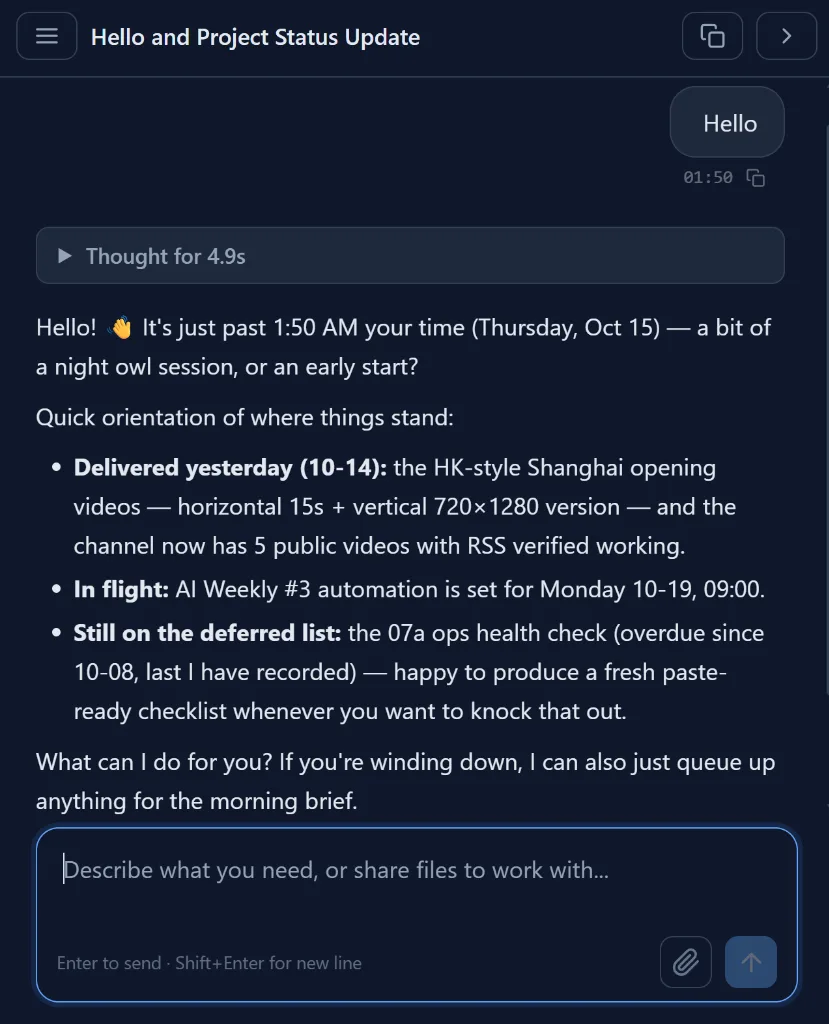
A returning user's "Hello" — the agent answers with a briefing of where your workspace stands, not a generic greeting.
How it works
Define the series once
Describe the show, newsletter, or report — topic, audience, format, cadence. The workspace keeps every installment, so the series has a memory.
It recurs
Automations run the job weekly or monthly. Each run starts from what already exists — it continues the series instead of starting from scratch.
You publish
Get finished files, a share link, or an unlisted YouTube draft waiting for review. You approve — nothing goes public without you.
Don't ask twice. Automate it.
Need it every week? Inside the app, tell the agent to run this on a schedule — a daily brief, a Monday report, an hourly monitor. It runs even when you're away.
Try it in the app →Frequently asked
- Does it actually remember the previous episodes?
- Yes — that is the point of your workspace. Each installment is a real file the agent can read back, so episode 5 follows the structure, voice, and visual identity of episodes 1–4 instead of reinventing them.
- Which parts are automated vs. manual?
- Research, writing, narration, rendering, and packaging run on a schedule. Publishing is a human decision: the agent delivers a share link or an unlisted YouTube upload, and you flip it public after review.
- Can it post to social media for me?
- YouTube is supported directly (unlisted upload for your review). For other platforms the agent prepares a publish-ready package — copy, images, video — that you post with one click.
- Can I run several client series at once?
- Yes. Keep each client in its own task folder or a shared group workspace, and each series keeps its own files and memory. This is how small studios run multiple recurring shows from one seat.